AI Behind The Scenes Videos: 98K Subs & 92M Views with Just 18 Videos
Breaking down a Faceless channel earning $21K-$342K/month with AI-generated movie behind-the-scenes content - and how to create them easily
January 21, 2025
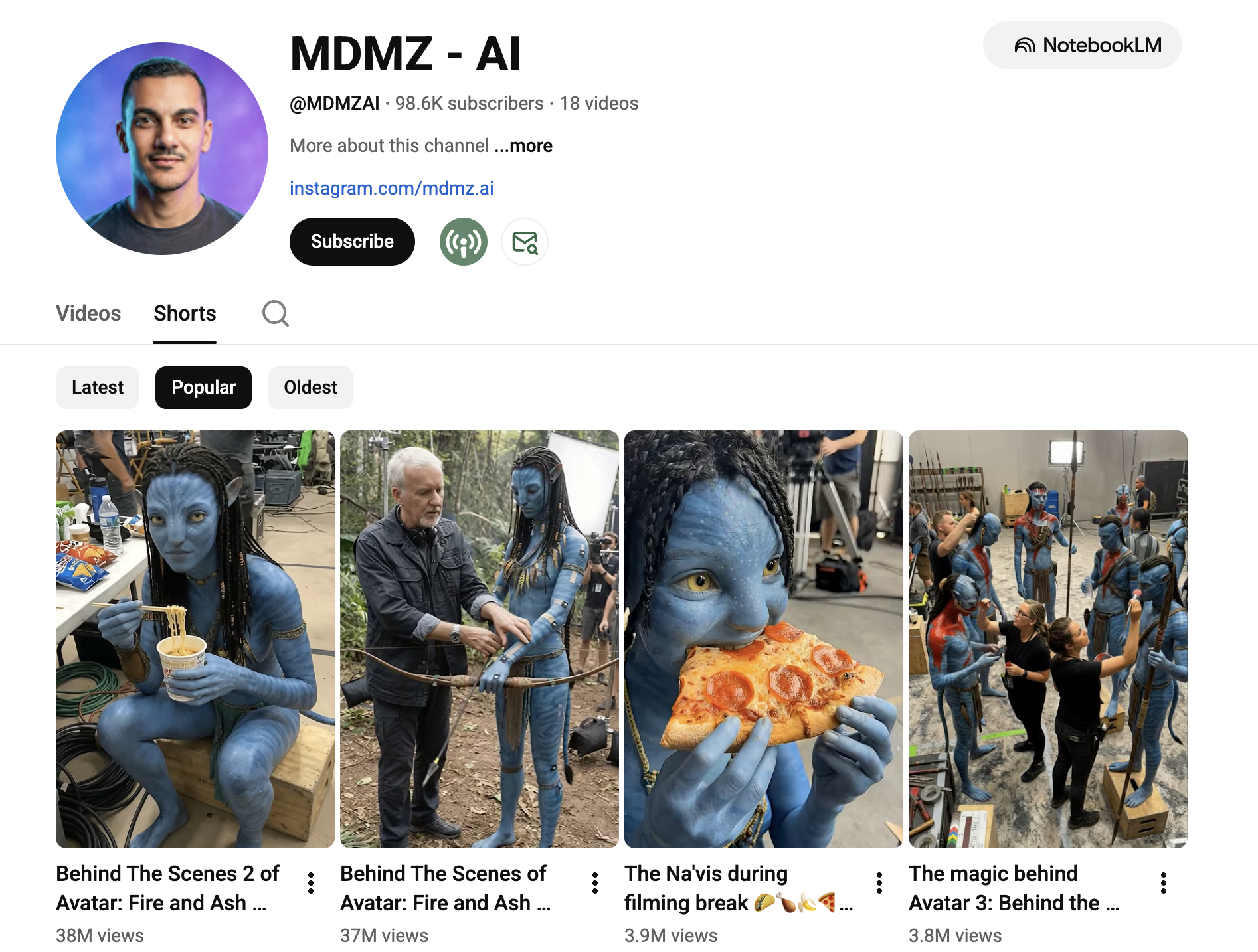
Channel: MDMZ - AI
With just 18 videos, this channel has achieved 98,600 subscribers and over 92 million views. Starting on December 9, 2025, this explosive growth happened in less than 2 months.
Channel Performance
- Subscribers: 98,600
- Total Views: 92,660,935
- Videos: 18
- Monthly Views: ~85M
- Monthly Estimated Earnings: $21K - $342K

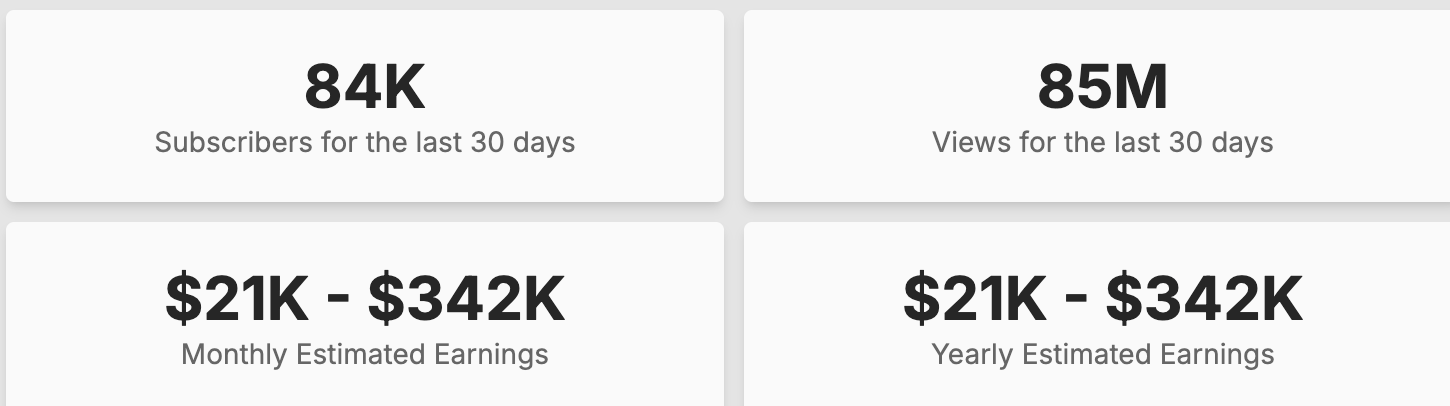
Source: Social Blade
Example Video
The "Behind The Scenes" movie content niche is exploding. Videos showing fake behind-the-scenes footage of popular movies like Avatar consistently go viral, with individual videos hitting 30-40M+ views.
The Traditional Way: Too Complicated
How would you create videos like this yourself?
- Find movie stills - Source high-quality frames from popular films
- Generate BTS image - Use AI image generation to add film crew, cameras, and lighting equipment
- Write detailed prompts - Craft prompts describing realistic film set environments
- Generate video - Use Kling to animate the behind-the-scenes image
- Process output - Handle video encoding and final output
The challenge? Creating realistic-looking film sets with proper crew, equipment, and lighting while keeping the main subject unchanged.
The Simple Way: Hooc AI
The Behind The Scenes template automates this entire process.
What Hooc Handles Automatically
- Generate behind-the-scenes image - Imagen transforms your movie still into a realistic film set with crew and equipment
- Generate cinematic video - Kling v2.1 animates the scene with natural movement
- Process and merge - Final video encoding and output (Remotion)
A 3-step pipeline with carefully crafted prompts that handle crew placement, lighting rigs, and camera equipment realistically.
What You Need to Input
Just 1 thing:
- Movie Scene Image: A still from any movie or show
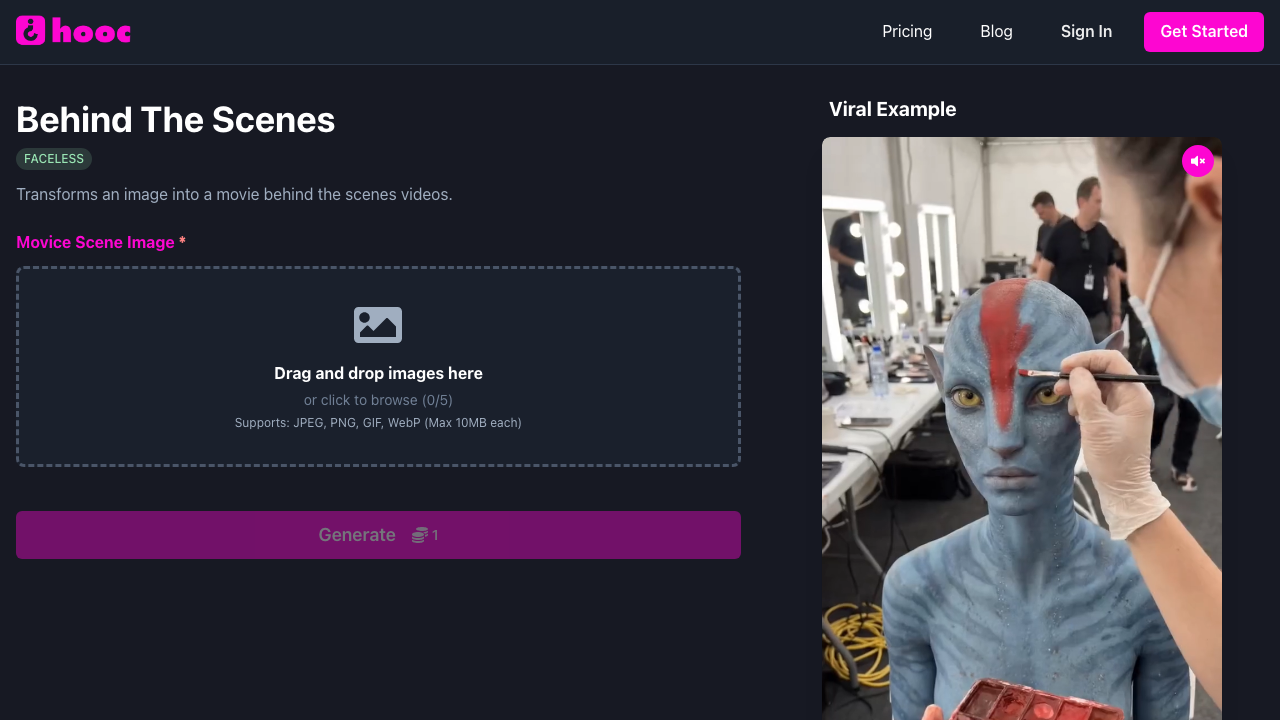
Upload your image, and Hooc creates a realistic behind-the-scenes video automatically. No prompt engineering, no switching between tools, no video editing required.
Get Started
Ready to create viral behind-the-scenes movie content?
← Back to Blog